






Is there a way to place cut marks in Workhop?9120
Pages:
1

|
Thea_VR private msg quote post Address this user | |
| Hello guys, I already placed cut marks in the capture app, but when I uploaded, there are still a lot of 3D data outside of the property, this is outdoor so maybe there is a way in Workshop to fix this? thank you in advance Best, Thea 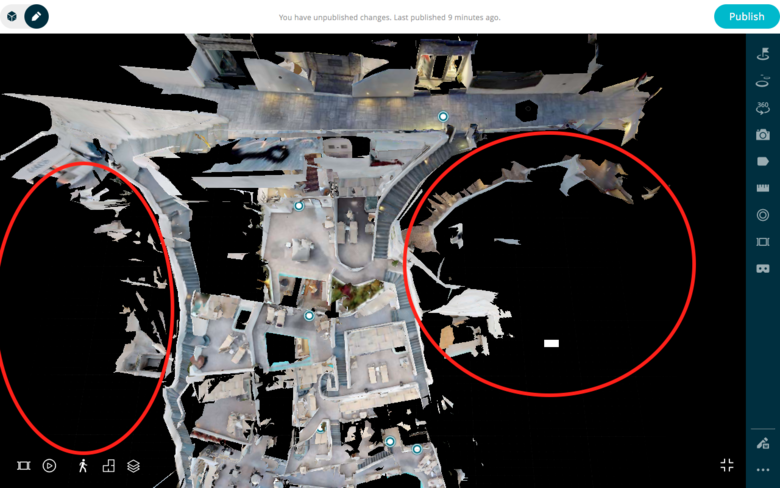 |
||
| Post 1 • IP flag post | ||

|
rzphotoman private msg quote post Address this user | |
| You have to trim and re-process. Duplicate the original first. | ||
| Post 2 • IP flag post | ||
 WGAN Forum WGAN ForumFounder and Advisor Atlanta, Georgia |
DanSmigrod private msg quote post Address this user | |
| @Thea_VR After you reprocess your model, can you post a screen grab of your trim marks showing what's still not working? Best, Dan |
||
| Post 3 • IP flag post | ||
 WGAN Fan WGAN FanClub Member Queensland, Australia |
Wingman private msg quote post Address this user | |
| I once tried to put cut lines all around a house and it removed most of reflections. Basically it was just an outline of the house created with Matterport cut lines. | ||
| Post 4 • IP flag post | ||
Pages:
1This topic is archived. Start new topic?