





Open Closed Doors: HOW TO?4681
Pages:
1

|
mikerodin private msg quote post Address this user | |
| In this Tour (floor 1 ) a door is mostly closed and as you approach it opens. Can someone help demystify this for me? Know how to do this would really be helpful some some spaces I have to shoot this week. 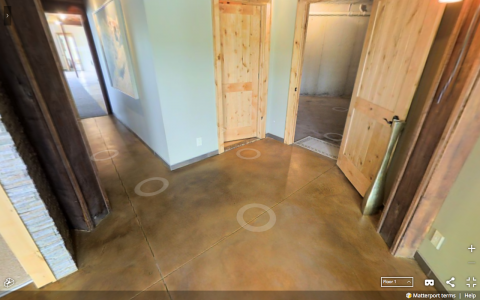 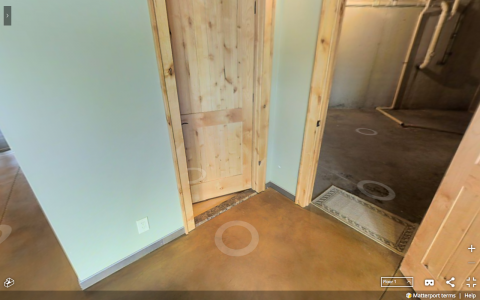 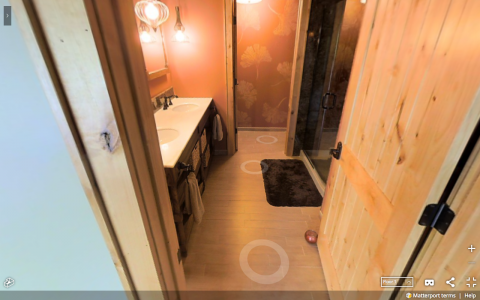 Link to the full tour is here - http://theperfectspotforyou.com/3dgallery/ "lower level" Thanks for the help |
||
| Post 1 • IP flag post | ||

Putten NLD |
DannyBasting private msg quote post Address this user | |
| First do a complete scan of the hallway with the door closed. Then open the door, and do another scan in the already scanned hallway about 2 to 3 meters from the door. This captures some of the 3d data behind the previously closed door, and allows you to scan closer without having misalignments. In the workshop you can later disable the scans that you don't want to see in the tour. |
||
| Post 2 • IP flag post | ||
 WGAN Forum WGAN ForumFounder and Advisor Atlanta, Georgia |
DanSmigrod private msg quote post Address this user | |
| @mikerodin @DannyBasting Kindly continue the conversation here: ✓ Trouble with doors [HELP] Thanks, Dan |
||
| Post 3 • IP flag post | ||
Pages:
1Thread locked. No more posts permitted. Return home.