






changing Matterport hero image5113
Pages:
1

|
fotoguy private msg quote post Address this user | |
| I'm am trying to change my hero image as it has a mattertag on the piano. It is my understanding the start position is also used for the hero image. As you can see below, this isn't happening. The start image has no mattertag on the piano. Soulution? 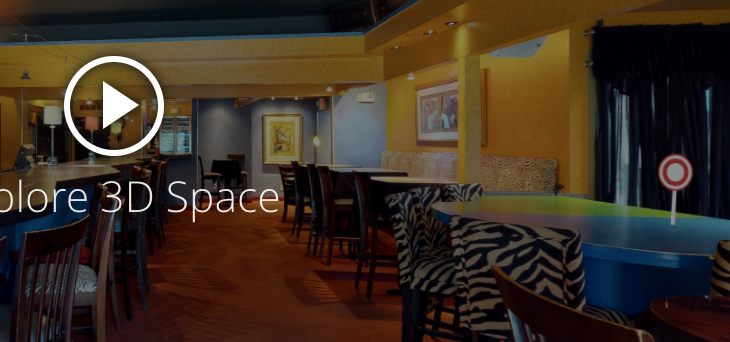 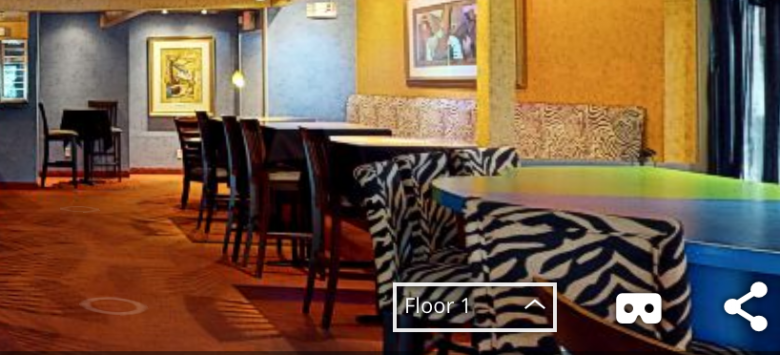 |
||
| Post 1 • IP flag post | ||

|
intellidrone private msg quote post Address this user | |
| @fotoguy - Are you trying to not have the mattertag post in the hero image ? If so, there are a few different ways to set the start position in the workshop - from the "3D showcase controls" or via "Snapshots". One possible solution: Move to the desired start location and then take snapshot of that position, make sure the "Assets" option to the left of the camera icon is set to "hide assets", and then set that snapshot as the "Start Location". This snapshot will also be the hero image without the mattertag post. Conversely if you want to display the mattertag post in your hero image, make sure the "Assets" option to the left of the camera icon is set to "show assets" and then set the snapshot as your start position. |
||
| Post 2 • IP flag post | ||
|
|
fotoguy private msg quote post Address this user | |
| Thanks so much intellidrone. | ||
| Post 3 • IP flag post | ||

|
MarcelloM private msg quote post Address this user | |
| Hello Intellidrone, is it possible to "hide" or "erase" the hero image since it disturbs the downloading sequence. Thank you! | ||
| Post 4 • IP flag post | ||
Pages:
1This topic is archived. Start new topic?