






Virtual Staging Comparo: Virtual Staging AI vs. Collov.ai21311
Pages:
1
 WGAN Fan WGAN Fan Club Member Gilroy, California |
Dataventurer private msg quote post Address this user | |
| Back in February, (about nine months ago), one of my realtor clients asked if I could provide virtual staging photos for a property for which she wasn't willing to pay for physical staging. I sent test samples to four overseas companies, picked one that had the best conformance to my specs, and paid $16 per photo, delivered a couple days later. I did that one more time a few weeks later. Then I remembered Dan's post about virtual staging from about a year ago. It put me in the hunt for "roll your own" staging options. I found that the staging platforms offered the opportunity to test out their service. The results looked pretty similar. But the pricing structures were all over the place. I found one platform that I subscribed to that I have been using since April. The monthly subscription is $15.75. I can upload photos and get unlimited renderings on up to 60 photos per month. That quantity of photos is more than I have needed in a single month, but it means I can try different photos to see what comes back. I charge $10 per photo that gets used and usually provide from 3 to 10 variations of furnishings per room from which to pick. Then I was offered the opportunity to do an extensive evaluation of the Virtual Staging AI service and thought it would be interesting to compare the two services and report to the WGAN community. After comparing 23 photos, here are my findings: - The two staging platforms produce equivalent output in terms of furniture options and the presence of decorator elements - Collov.ai generates five versions at a time, Virtual Staging AI generates 3 versions at a time. Each regeneration takes about 20 seconds to display the staged photos - Both platforms routinely deliver photos with "bloopers" - furniture where it doesn't make sense (like chairs in front of the refrigerator). Other times, especially in photos of combined spaces (dining/living), parts of the photos that are in the distance get changed (like a dining set in place of the washer/dryer in the laundry room). I have included examples from Virtual Staging AI below. See if you can spot the out-of-place furniture. - Virtual Staging AI does offer something in their lowest priced subscription that Collov.ai does not - different views of a room staged with the same furniture. I tried it a couple times and got mixed results. Collov.ai does offer the same thing but it requires moving up to a more costly subscription level. This is not a feature that I have much occasion to use. Usually, each room in the home, except for maybe the living room, are served well with one staged photo. - Virtual Staging AI offers a subscription levels: 6 photos per month for $16, 20 photos per month for $19, and 60 photos per month for $39. Bottom line: The staging renderings are very similar between the two platforms. Collov.ai gets a point for serving up more variations at a time (5 instead of 3 by Virtual Staging AI), thereby saving some time. Virtual Staging AI gets a point for offering different views of the same room with the same furniture (see my example below). Depending on the quantity of virtual staging photos that you expect to do, Virtual Staging AI could work at the 20-photo-per-month level. For a three-bedroom house you might need staged photos for bedrooms , living, dining and family rooms. So, staging 2-3 houses per month would fit in that package. For sheer economy, with lots of headroom each month, Collov.ai would make more sense. For the benefit of those here who have not tried generating virtually staged renderings, I am presenting the follow photos. Sometimes it has taken 10 or more "regeneration" cycles to get photos that I thought fit the rooms well. You hit the regen button, wait 20 seconds or so and hope one of the variations that displays can be downloaded. Sometimes what comes back will cause a laugh... Here is an example of Virtual Staging AI's attempt at a 2-view pair of stagings: 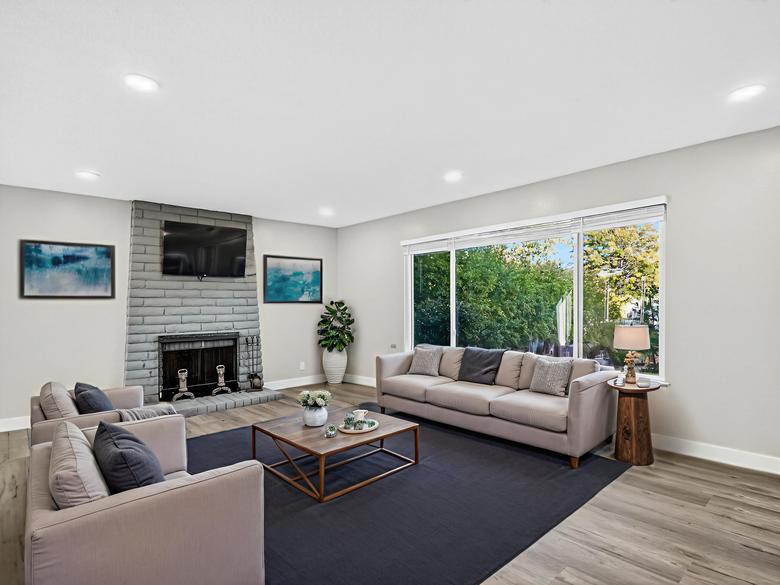 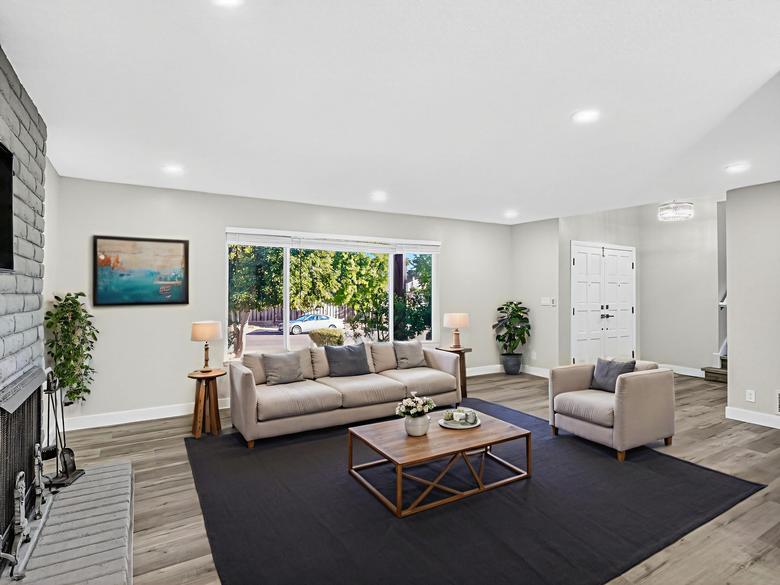 Here is another version of the above photo - with a dining set in the entry way: 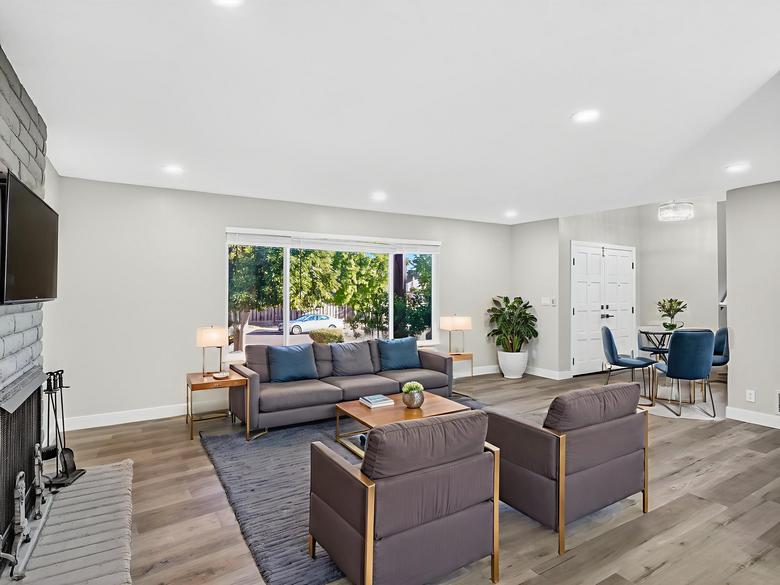 Misplaced dining chairs in the kitchen: 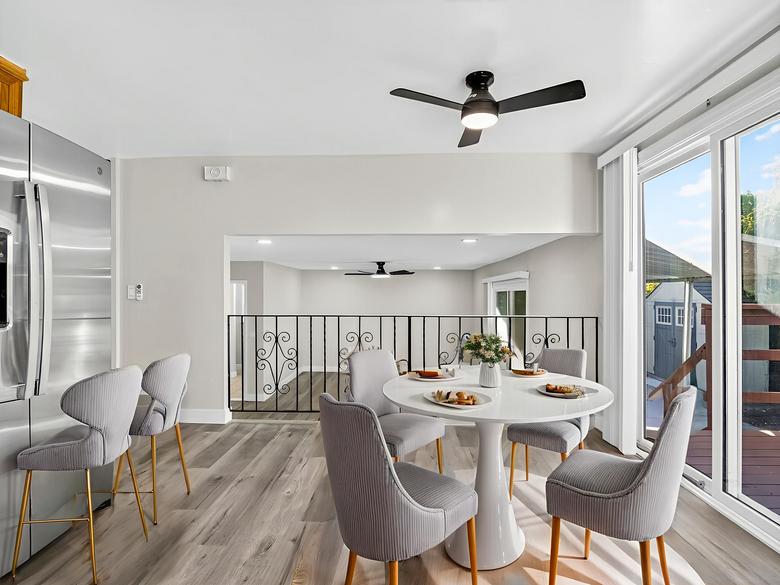 Here is the original photo. Note the kitchen sink in the background, then the washer and dryer through the door... 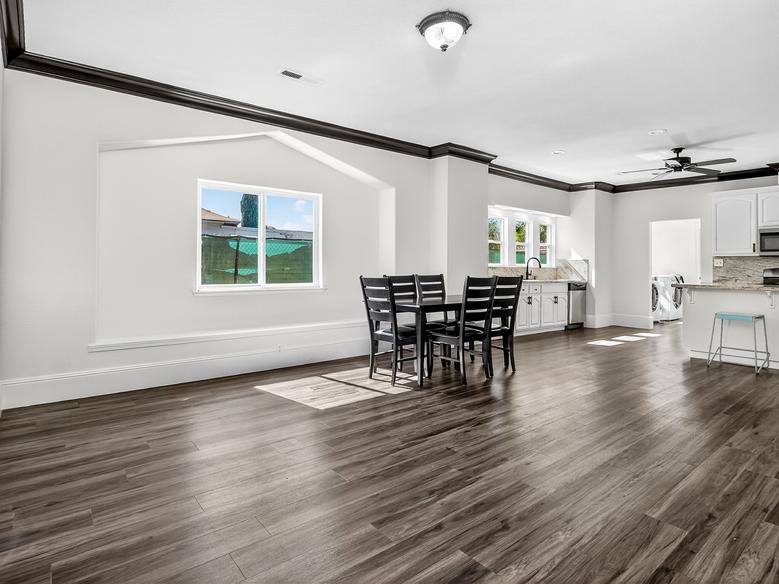 Here is the same photo with a dining table and chairs placed well, but the far background was radically changed. 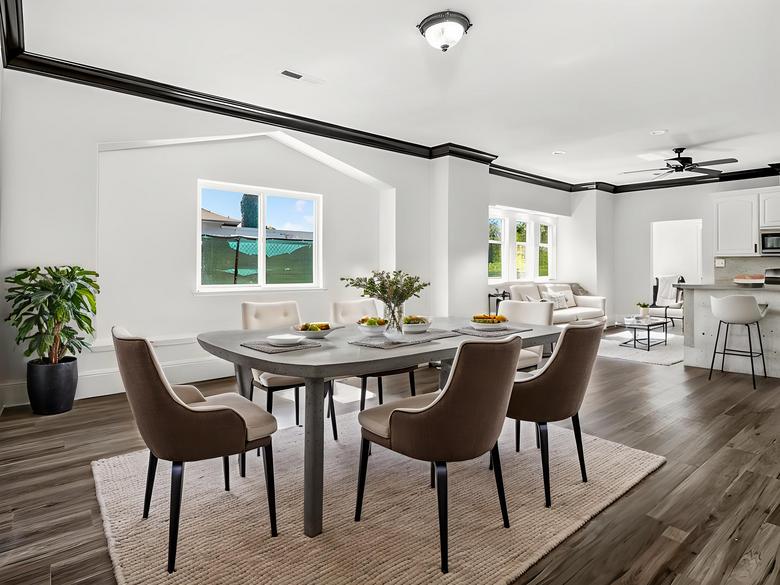 This bedroom has steps up to a room behind. The AI didn't know what to do with it: 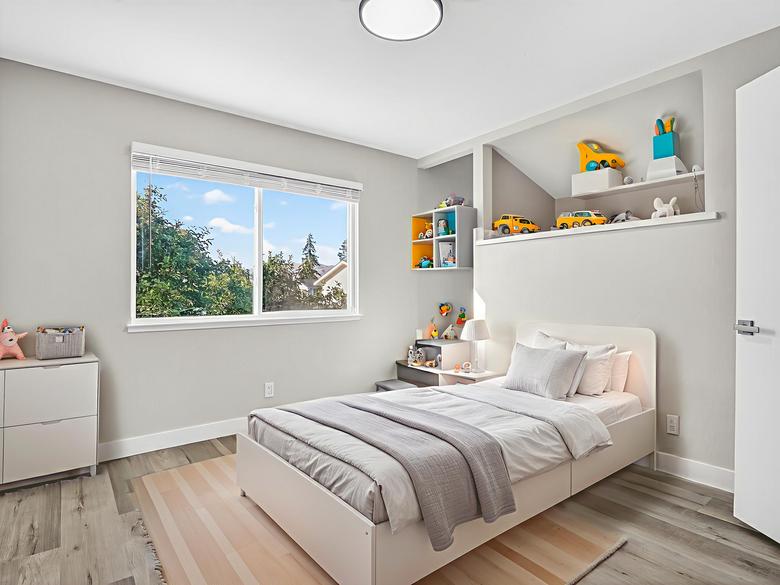 |
||
| Post 1 • IP flag post | ||
 WGAN Fan WGAN FanCLUB Member Coeur d'Alene, Idaho |
lilnitsch private msg quote post Address this user | |
| My biggest issue with ai staging is multi view of the same room with the same furniture | ||
| Post 2 • IP flag post | ||
 Owner, Owner,Managing Editor and Publisher of WGAN Forum and WGAN-TV Podcast Fairfield, California |
TomSparks private msg quote post Address this user | |
| @Dataventurer good to see VirtualStaging AI offer multiple angles with same furniture, Collov AI can do this as well for a higher tiered subscription.. the example I saw of Collov showed that each "regeneration" of the image degraded it a bit... I wasn't too happy about that. | ||
| Post 3 • IP flag post | ||
Pages:
1