






Matterport Model title editing20789
Pages:
1

|
Shawn_P private msg quote post Address this user | |
| After scanning a property, I went into the “edit model” details to put in the name and address, but it still remains “untitled.” How do I correct this? |
||
| Post 1 • IP flag post | ||

|
DigitalTwin private msg quote post Address this user | |
| Hey Shawn, Make sure you hit SAVE at the bottom of the window after making any changes. |
||
| Post 2 • IP flag post | ||

|
DigitalReplica3D private msg quote post Address this user | |
| @Shawn_P Not in the edit mode but from your dashboard. Go to your Dashboard then to the folder icon / All Spaces and click it. Click on the 3 dots of the Space you want to edit. (Far right of the Space you want to edit) Then click Edit Details to edit your title. Best, Charlie Grimm 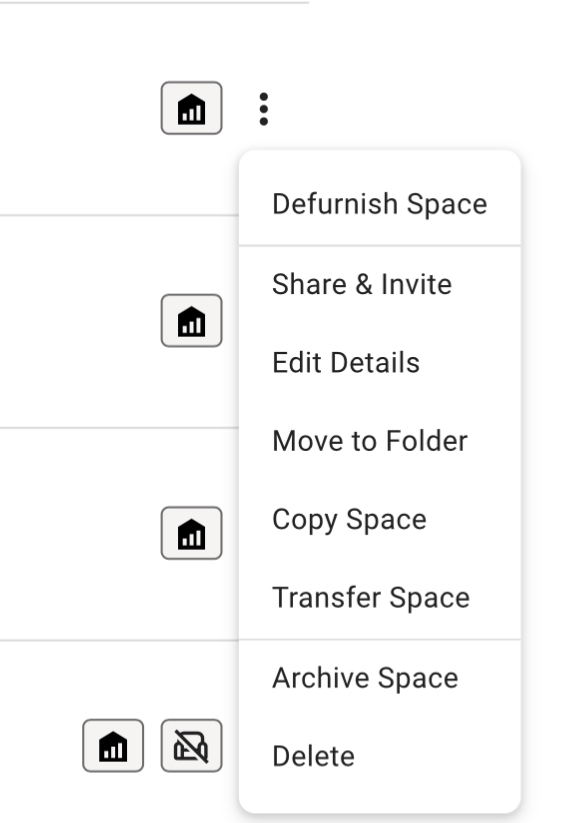 |
||
| Post 3 • IP flag post | ||
Pages:
1This topic is archived. Start new topic?