






Orientation of floor plan mode Matterport?19194
Pages:
1

|
ukvisualimmersion private msg quote post Address this user | |
| I want to change the orientation when you click on the floor plan icon in a matterport tour, is this possible? From image 1 with the circle at the top, to image 2 with it at the bottom when you press the floor plan view from within the tour 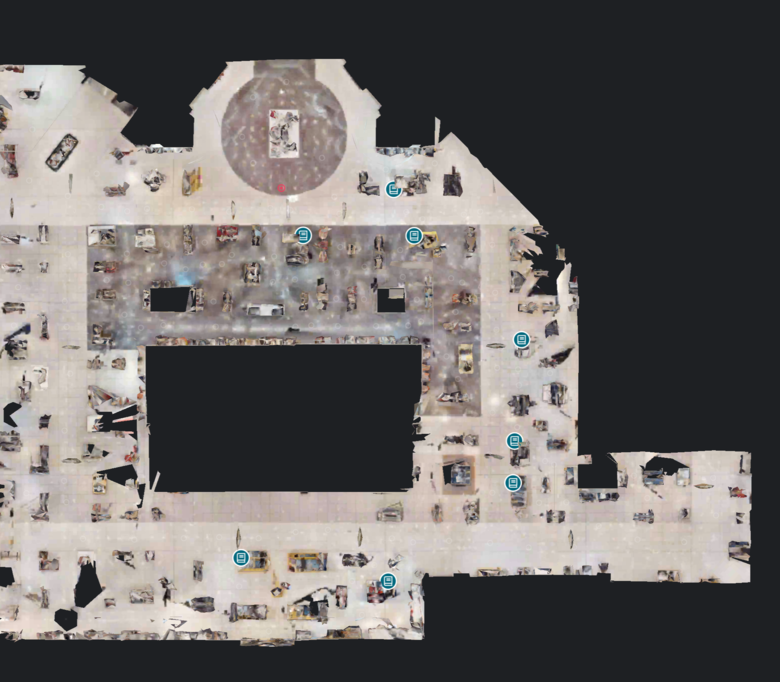 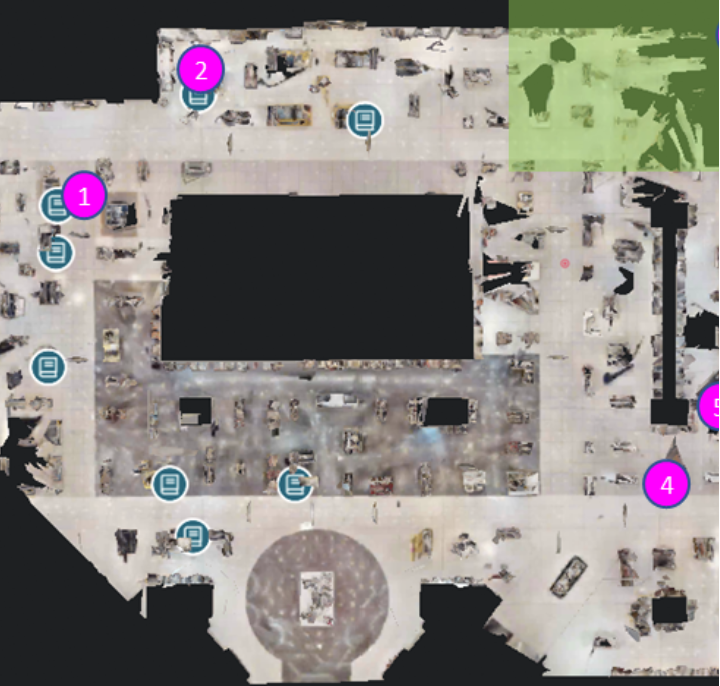 |
||
| Post 1 • IP flag post | ||

|
HarlanHambright private msg quote post Address this user | |
| The orientation is established by the first scan. Your starting position will be “East.” Plan ahead! | ||
| Post 2 • IP flag post | ||
|
|
ukvisualimmersion private msg quote post Address this user | |
| Is there no way to change once the first scan is made? | ||
| Post 3 • IP flag post | ||
|
|
HarlanHambright private msg quote post Address this user | |
| Not that I know of | ||
| Post 4 • IP flag post | ||
 Capture CaptureMember New Brighton, PA |
frstbubble private msg quote post Address this user | |
| If using a Pro2 camera the up direction on the iPad and ensuing floor plan view will the same direction in which the handle of the camera is pointing. As of now I have not found any way to save orientation changes in workshop. |
||
| Post 5 • IP flag post | ||
|
|
ron0987 private msg quote post Address this user | |
| @ukvisualimmersion you might try customer service to see if they can rotate it, but @HarlanHambright is right, but that is a little more difficult on larger properties and in some cases even if you plan it the final layout is not quite what your looking for. | ||
| Post 6 • IP flag post | ||
Pages:
1This topic is archived. Start new topic?